09Architecture, Dependencies, and Other People's Plugins
10Data, Jobs, and the Object Cache
11Serving Real Traffic
12Legacy Sites, Incidents, and Code Other People Run
Final exam
Certificate
48 topics · ~11h
Accredited Curriculum & Certification
Official Syllabus Snapshot
Direct Answer: Stop wrestling with page builders and learn to build WordPress the way it was designed — your own theme, your own plugin, your own content types and API endpoints.
Tuition Fee
100% Free
Duration & Workload
~11 Hours
Curriculum Depth
12 Chapters · 48 Lessons
Credential Awarded
Verified Certificate
12Chapters
Course outline
The request lifecycle, the Loop that renders every page, and the template hierarchy that decides which file runs.
Local Setup and the Request Lifecycle12 min
The Loop and WP_Query14 min
The Template Hierarchy13 min
Conditional Tags and the Queried Object13 min
Two files to a working theme, then assets, template parts, and menus done the WordPress way.
A Theme From Two Files13 min
Enqueueing Assets Properly12 min
Template Parts, Menus, and Reuse14 min
Theme Options with the Customizer13 min
Actions, filters, and the packaging that turns a snippet into a real plugin.
Actions: The WordPress Event System13 min
Filters: Changing Data In Flight13 min
Your First Plugin14 min
Shortcodes and Ajax Handlers13 min
Custom post types, taxonomies, meta, and endpoints that other applications can consume.
Custom Post Types14 min
Taxonomies and Post Meta13 min
The WP REST API15 min
Shaping REST Responses for Clients14 min
Caching layers, image discipline, and the escaping, nonce, and capability rules that keep a site standing.
Caching and Query Performance14 min
Images and Front-End Delivery12 min
Security Hardening15 min
Security Headers and the HTTP Layer13 min
Global styles, a custom block of your own, and the patterns and locked templates that make the editor safe to hand over.
theme.json and Global Styles13 min
Building a Custom Block15 min
Dynamic Rendering, Patterns, and Locked Templates14 min
Block Themes and Full Site Editing14 min
WP-CLI for real work, environment-aware config and safe migrations, and a method for finding the cause when a live site breaks.
WP-CLI for Real Work14 min
Environments, Config, and Migrations13 min
Debugging a Live Site15 min
Code Standards and a CI Pipeline13 min
The three layers of automated test that actually catch WordPress bugs, plus the static analysis and version matrix that stop a release breaking a host you never tried.
Unit Tests Without a Database13 min
Integration Tests With the WordPress Test Suite13 min
End-to-End Tests in a Real Browser13 min
PHPStan, Stubs, and the Version Matrix13 min
Composer, namespaces, and dependency injection applied to a plugin that has outgrown one file, plus the rules for extending code you do not own without ever forking it.
Composer, Namespaces, and Autoloading13 min
Objects, Dependency Injection, and a Testable Bootstrap13 min
Extending a Plugin You Do Not Own13 min
Bundled Dependencies and the Conflicts They Cause13 min
What to do when post meta, WP-Cron, and the options table stop coping, from your own database tables to queued background work over millions of rows.
Custom Tables and When Post Meta Runs Out13 min
Transients, Autoloaded Options, and a Persistent Object Cache13 min
Background Work: WP-Cron, Action Scheduler, and Queues13 min
Batch Processing Millions of Rows Without Timing Out13 min
Full-page and edge caching, an architecture that survives more than one server, and the instrumentation that tells you a site is failing before a customer does.
Full-Page Caching and the Art of Invalidation13 min
One Site, Many Servers: Media Offload and the Ephemeral Filesystem13 min
Observability: APM, Slow Queries, and Alerts13 min
Load Testing and Capacity Before the Campaign13 min
Taking over a site nobody documented, moving it without losing a single URL, recovering one that has been compromised, and shipping releases to installs you can never log into.
Auditing a Site You Just Inherited13 min
Replatforming: Content, Redirects, and Cutover13 min
When a Site Is Compromised13 min
Releasing Code to Sites You Cannot Log Into13 min
Final exam & certificate
01
Topic checks
Each one opens the next topic
02
Chapter quizzes
Each one opens the next chapter
03
50-question final
50 of 100 marks to pass
04
Certificate
Issued instantly, verifiable
One attempt, 60 minutes. If you don't pass, you can retake once after 30 days.
The course guide
How to learn WordPress development: a free roadmap
16 October 2026 · 10 min read
If you want to know how to learn WordPress development, the short answer is this: learn enough PHP, HTML and CSS to read code comfortably, set up WordPress on your own computer, and then build things instead of installing them. Build a theme from an empty folder, then a small plugin with hooks, then your own content types and REST endpoints. Finish with performance, security and blocks. Using WordPress and developing for it are different skills, and the jump between them is mostly about writing your own code.
This guide lays out that roadmap, the mistakes that slow people down, and an exact chapter by chapter look at our free WordPress Development course, so you can decide whether it fits you before you sign up.
WordPress user or WordPress developer?
Installing themes and stacking plugins is useful work, but it hits a ceiling. When a client wants a custom booking form, an events listing that sorts properly, or a site that stops slowing down every time traffic picks up, a page builder will not save you.
A WordPress developer understands what happens when a page is requested: which file WordPress chooses, how the Loop pulls posts from the database, and how hooks let you change behaviour without editing core files. That understanding is what lets you build something a plugin cannot, fix a site someone else broke, and charge for work that is harder to find.
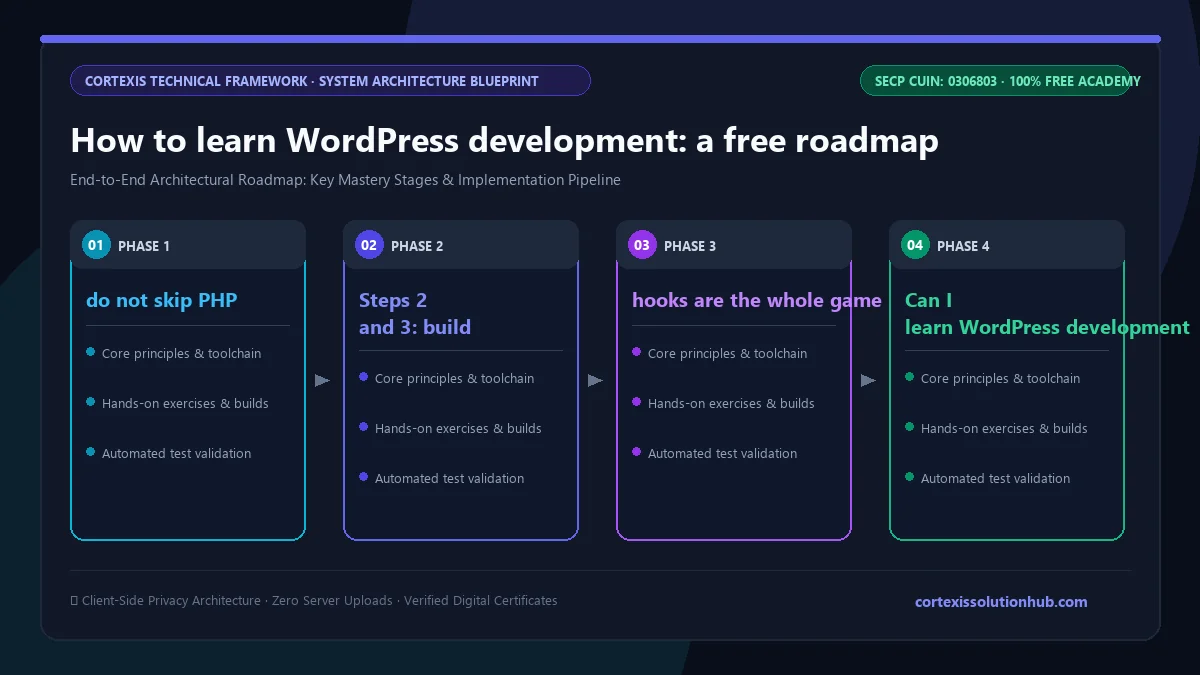
Figure 1: Complete step-by-step architectural workflow and technical execution stages for How to learn WordPress development: a free roadmap.
How to learn WordPress development: the roadmap
Each step builds on the one before. Move on when you can do the "ready when" part without copying from a tutorial.
Step
What to learn
You are ready when
1. Foundations
Basic PHP, HTML, CSS, a little JavaScript
You can read a PHP function and say what it returns
2. How WordPress works
Local setup, the request lifecycle, the Loop, the template hierarchy
You can predict which template file renders any given page
3. Your own theme
A theme from two files, enqueued assets, template parts, menus
Your theme renders posts and pages with no starter theme underneath
4. Hooks and plugins
Actions, filters, a real plugin, shortcodes and Ajax
You can change site behaviour from a plugin without touching the theme
5. Content and APIs
Custom post types, taxonomies, meta, the REST API
Your site has an "events" type that another app can read as JSON
You escape every output and check permissions on every form
7. The modern editor
theme.json, a custom block, patterns, block themes
Editors can use your site without breaking the layout
8. Production
WP-CLI, environments, debugging, tests, CI
You can ship a change and find the cause when something breaks
Step 1: do not skip PHP
The most common reason WordPress feels like magic is that the PHP underneath is unfamiliar. You do not need to be a PHP expert, but you should be comfortable with variables, arrays, functions, loops and simple classes. If you have never programmed at all, start with a general first language and come back; our guide on which programming language to learn first in Pakistan helps with that choice.
Steps 2 and 3: build a theme by hand
Resist starting from a heavy premium theme. A theme from two files, a stylesheet with a header comment and an index.php, teaches you more in an afternoon than a week of clicking through theme options. Add template files one at a time and watch the template hierarchy decide which one runs.
Step 4: hooks are the whole game
Almost everything in WordPress development comes back to actions and filters. An action lets you run code at a moment, like when a post is saved. A filter lets you change data on its way through, like a post title before it is printed. Once hooks click, plugins stop being mysterious.
Mistakes that cost beginners the most time
Editing a theme you downloaded. The next update overwrites your changes. Put custom behaviour in a plugin or a child theme.
Hardcoding script and style tags. WordPress has a proper way to load assets, called enqueueing. Skipping it causes duplicate libraries and conflicts with plugins.
Trusting input and printing raw output. Sanitise data coming in, escape data going out, and check a nonce and a capability before any form changes something. This is the difference between a working site and a hacked one.
Storing everything as post meta. Meta is fine for small things, but it gets slow when you filter and sort large lists by it. Know when a taxonomy or your own table is the better home.
Working on the live site. Build locally, keep your code in Git, and deploy deliberately. Our Git and GitHub course is short and worth doing first.
What the free WordPress Development course covers
The course is rated beginner to intermediate and is built around one idea: build WordPress the way it was designed, with your own theme, your own plugin, your own content types and your own API endpoints. It has 12 chapters and 48 lessons.
How WordPress Actually Works. Local setup and the request lifecycle, the Loop and WP_Query, the template hierarchy, and conditional tags.
Building a Theme From Scratch. A theme from two files, enqueueing assets properly, template parts and menus, and theme options with the Customizer.
Hooks and the Plugin API. Actions, filters, your first plugin, and shortcodes and Ajax handlers.
Content Modelling and the REST API. Custom post types, taxonomies and post meta, the WP REST API, and shaping REST responses for clients.
Performance and Security. Caching and query performance, images and front end delivery, security hardening, and security headers.
Blocks, Patterns, and theme.json. Global styles, building a custom block, dynamic rendering and locked templates, and block themes with full site editing.
Shipping and Running It in Production. WP-CLI for real work, environments and migrations, debugging a live site, and code standards with a CI pipeline.
Testing a WordPress Codebase. Unit tests without a database, integration tests with the WordPress test suite, end to end tests in a real browser, and PHPStan.
Architecture, Dependencies, and Other People's Plugins. Composer and namespaces, dependency injection, extending a plugin you do not own, and bundled dependency conflicts.
Data, Jobs, and the Object Cache. Custom tables, transients and a persistent object cache, background work with WP-Cron and Action Scheduler, and batch processing very large datasets.
Serving Real Traffic. Full page caching and invalidation, running one site on many servers, observability and alerts, and load testing.
Legacy Sites, Incidents, and Code Other People Run. Auditing an inherited site, replatforming without losing URLs, recovering a compromised site, and releasing code to installs you cannot log into.
The first six chapters take you from nothing to a solid custom theme and plugin. The last six are the part most free material never reaches: the work you meet once a site has real users, real data and a client who needs it to stay up.
Who this course is for and how long it takes
It suits you if you already build sites with themes and page builders and want to move into custom work, if you freelance and keep getting WordPress requests you cannot fully handle, or if you are a developer who has to maintain WordPress at work. If you want to understand what clients are really paying for when they commission a site, our breakdown of what a website actually costs in Pakistan pairs well with it.
It is a weaker fit if you want to build mainly custom JavaScript applications. In that case the Full Stack Web Development course is the more direct route. If you enjoy PHP and want a framework for applications that are not content sites, look at Laravel Fundamentals.
On time: the course is planned as 8 weeks. The lesson reading on its own comes to roughly ten and a half hours, but reading is the small part. Typing out the examples, running them on a local site and building your own theme and plugin alongside is where the learning happens. With an hour a day, 8 weeks is realistic for the core; give the later production chapters extra time if you have never run a live site.
How the quizzes and free certificate work
Each topic has a minimum reading time of 90 seconds before its quiz opens, and you need 70 percent on that quiz to unlock the next topic. Chapter quizzes are practice with instant feedback.
The certificate comes from the final exam: 50 questions, 60 minutes, one timed attempt, and you pass with 50 out of 100 marks. If you do not pass, a retake opens 30 days later with the questions and options reshuffled. Pass, and you get a free certificate with a verification code and a QR code anyone can check.
Be honest about what it proves. A certificate shows you finished and understood the material. A custom theme and plugin on GitHub, plus one real site you built or rescued, shows you can do the work, and that is what a client will actually look at.
Start building
The fastest way to learn WordPress development is to stop installing and start writing: one theme, one plugin, one custom content type, carried through to a site that is fast and safe. Open the free WordPress Development course, set up your local site in the first lesson, and build alongside every chapter.
Questions, answered
05 questions
You can start, but you will stall quickly. Theme and plugin code is PHP, so learn the basics first: variables, arrays, functions, loops and simple classes. You do not need advanced PHP before you begin, and the course builds on those basics as it goes.
With an hour a day, the course is planned as 8 weeks. Reaching the point where you can build a custom theme and plugin comes sooner; the later chapters on testing, caching and production take longer to absorb because they are best learned on real sites.
WordPress runs a very large share of the web, and many small businesses, agencies and freelancers depend on it. Custom work, fixing slow or hacked sites, and maintaining existing ones are steady needs. It is worth learning if you pair it with real projects rather than only tutorials.
Not to become a developer. Page builders are tools for site owners. Clients may ask for them, so knowing your way around one helps, but the skills that set you apart are themes, plugins, hooks, custom content types and security.
Yes. The lessons, quizzes, final exam and certificate are all free. You need an account to track your progress and sit the exam.