Direct Answer: Stop memorising Git commands and learn the model underneath — commits as snapshots, branches as pointers, and a calm way out of every mistake.
Tuition Fee
100% Free
Duration & Workload
~11 Hours
Curriculum Depth
12 Chapters · 48 Lessons
Credential Awarded
Verified Certificate
12Chapters
Course outline
Commits as snapshots, the three areas your files move through, and why a branch is just a file with a hash in it.
A Commit Is a Snapshot, Not a Diff13 min
Working Directory, Index, Repository13 min
Branches Are Pointers, HEAD Is Where You Are12 min
Config Layers, Identity, and Line Endings13 min
Building each commit on purpose, writing messages your future self can use, and keeping the wrong files out of history forever.
Building a Commit on Purpose13 min
Commit Messages That Earn Their Keep12 min
.gitignore, and What Must Never Enter History12 min
Signing Commits So Authorship Means Something13 min
Fast-forward versus three-way merges, what rebase really does to your commits, and resolving conflicts without panic.
Merging: Fast-Forward and Three-Way13 min
Rebase, and When Each Is Right14 min
Resolving Conflicts Calmly13 min
Choosing a Branching Model Your Team Can Keep13 min
How your clone talks to GitHub, what a pull request is really for, and shipping tagged releases people can rely on.
Remotes: fetch, pull, and push13 min
Pull Requests and Review Etiquette13 min
Tags, Releases, and Versioning12 min
Forks and Upstream: Contributing Without Push Access13 min
restore, revert, and the three resets — plus stash, cherry-pick, and the reflog that makes almost nothing permanent.
restore, revert, reset — What Each Actually Does14 min
Stashing and Moving Work Between Branches12 min
The Reflog: Why Almost Nothing Is Lost13 min
Undoing a Merge Without Breaking the Next One13 min
Naming exactly the commits you mean, tracking down the change that introduced a line, and letting bisect find the guilty commit for you.
Naming Commits: Ranges, Carets, and Tildes13 min
Finding the Change: log -S, -L, and blame13 min
git bisect: Let Git Find the Bad Commit14 min
Reading a Diff Without Being Fooled13 min
Hooks that catch mistakes before they land, the server-side rules that actually enforce them, and keeping a large clone fast.
Hooks: Catching Mistakes Before They Land13 min
CI and Branch Protection: Making the Rules Real14 min
Keeping a Big Repository Fast13 min
Submodules: A Repository Inside Another13 min
Workflows that do real work rather than just gate a merge: the event model, runs that stay fast, pieces you reuse across repositories, and a release that publishes itself from a tag.
Triggers, Jobs, and the Workflow Event Model13 min
Matrices, Concurrency, and Caching That Actually Hits14 min
Reusable Workflows and Composite Actions13 min
Release Automation: From Tag Push to Published Artifact14 min
Interactive rebase past squash, splitting and reordering commits into a branch worth reviewing, purging a file from every commit that ever held it, and rewriting a shared branch without stranding your team.
Interactive Rebase: Reword, Reorder, Split, Drop13 min
fixup, autosquash, and Review-Ready Branches13 min
filter-repo: Purging a File From Every Commit14 min
Rewriting a Shared Branch Without Stranding the Team13 min
Who can push what, how credentials leak through a repository, and keeping the actions and dependencies you already trust from becoming the way in.
Credentials That Fit the Job: Keys, Tokens, and Apps13 min
Least Privilege in CI: Scoped Tokens and OIDC13 min
Secret Scanning, Push Protection, and Rotating First13 min
Pinned Actions, Dependency Review, and Build Provenance13 min
Splitting one repository into two, joining several into a monorepo, retiring submodules in favour of subtrees, and moving years of history to a new host without losing blame.
Splitting a Repository and Keeping Its History13 min
Joining Repositories Into a Monorepo13 min
Vendoring with Subtree Instead of Submodules13 min
Changing Hosts: Mirrors, Imports, and the Cutover14 min
The object layer underneath the commands you know, used to read a repository's true state, work out what really happened to a branch, and bring back work everyone else has written off.
Plumbing: hash-object, cat-file, and update-ref14 min
Refs, Packfiles, and What gc Really Deletes14 min
Reconstructing a Force-Pushed Branch From Many Clones14 min
Backups, Bundles, and Repairing a Broken Repository13 min
Final exam & certificate
01
Topic checks
Each one opens the next topic
02
Chapter quizzes
Each one opens the next chapter
03
50-question final
50 of 100 marks to pass
04
Certificate
Issued instantly, verifiable
One attempt, 60 minutes. If you don't pass, you can retake once after 30 days.
The course guide
How to learn Git and GitHub, the right way round
16 October 2026 · 10 min read
The best way to learn Git and GitHub is to learn the model before the commands. A commit is a snapshot of your whole project, a branch is a label that points at one commit, and almost every "dangerous" command just creates new commits and moves a label. Once those three ideas are solid, learn Git on your own laptop for a week or two, then move to GitHub for remotes and pull requests, and practise undoing mistakes on purpose. Most people who say Git is confusing skipped the first step and memorised commands instead.
This guide gives you that order as a 4 week plan, the mistakes that cost beginners the most time, and what our free Git & GitHub course covers chapter by chapter.
Git and GitHub are not the same thing
Git is a program that runs on your computer and keeps the history of a folder. GitHub is a website that hosts copies of Git repositories so people can share them, review each other's changes and run automation. You can use Git for years without GitHub. You cannot really use GitHub without Git.
Git
GitHub
What it is
Version control software
A hosting service for Git repositories
Where it runs
Your laptop, offline
In the browser and on GitHub's servers
What you do with it
Commit, branch, merge, rebase, undo
Push, open pull requests, review, run Actions
Learn it
First
Second
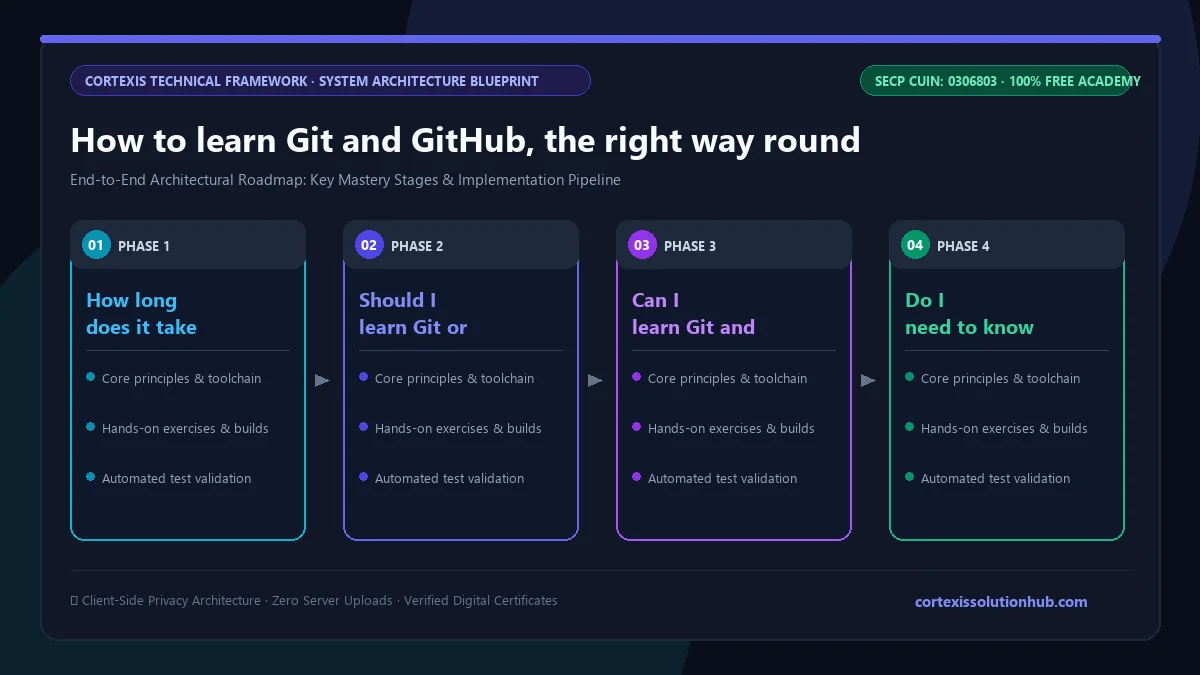
Figure 1: Complete step-by-step architectural workflow and technical execution stages for How to learn Git and GitHub, the right way round.
Step 1: learn the mental model, not a cheat sheet
Cheat sheets hide the three facts that make everything else make sense.
A commit is a snapshot, not a diff. Each commit records the complete state of every tracked file, plus its parent commit, its author and a message. When Git shows you a diff, it is comparing two snapshots on the spot. Commits are never edited. Commands like --amend, rebase and reset make new commits and move a pointer, which is why nearly every mistake can be recovered.
Your files move through three areas. The working directory is what you see in your editor. The index, also called the staging area, is what the next commit will contain. The repository is the history. git add moves changes into the index, git commit turns the index into a snapshot. Most beginner confusion about "why is this file not in my commit" is confusion about the index.
A branch is a pointer. In a standard repository a branch is just a name stored with one commit hash, often a tiny file under .git/refs/heads. HEAD tells Git which branch you are on.
For the first few days, run git status and git log --oneline --graph after every command and predict the output first.
Step 2: commit like someone else will read it
A good commit does one thing, and the project still works with it applied. Stage deliberately, using git add -p to pick the exact hunks that belong together, instead of git add . at the end of a long day.
Write messages that say why, not just what. "Fix rounding on invoice totals" is useful. "updates" is not. Set up a .gitignore from the very first commit, and keep secrets out: commit a .env.example with dummy values and ignore the real .env. Deleting a file in a later commit does not remove it from history, so a password that was committed once stays in history, and in every clone already made. Treat it as leaked and change it.
Step 3: branch, merge and rebase without fear
Learn the two kinds of merge. A fast forward just moves the branch label ahead. A three way merge creates a new commit with two parents. Then learn rebase, which replays your commits on top of another branch to give a straight line of history.
The rule most teams follow: rebase your own unpublished work freely, but do not rewrite a branch other people have already pulled.
Conflicts deserve their own practice. Create one on purpose: two branches that edit the same line, then merge them. Read the conflict markers, decide what the final line should say, stage the file and finish the merge.
Step 4: move to GitHub and work like a team
Now the remote side makes sense. git fetch downloads new commits without touching your work. git pull is a fetch followed by a merge or rebase. git push sends your branch up. origin is just the default name git clone gives the remote, not a special keyword.
On GitHub, practise the full loop: create a branch, push it, open a pull request, ask a friend to review it, respond to comments with new commits, and merge. Then contribute to a project without write access: fork it, add the original as upstream, work on a branch, and keep your fork's main free of your own commits.
Step 5: practise undoing every kind of mistake
This step turns Git from frightening into boring. Learn what each undo command does:
git restore throws away uncommitted changes to a file, or unstages it.
git revert makes a new commit that cancels an old one. It is safe on shared branches.
git reset moves your branch label back. Safe on your own work, risky on shared branches.
git stash parks unfinished work so you can switch branches.
git reflog lists everywhere HEAD has been recently, which is how you find commits you thought you deleted.
Make a throwaway repository, break it every way you can, and recover each time.
A 4 week plan to learn Git and GitHub
Thirty to forty five minutes a day, with a terminal open, is enough.
Week
Focus
Practise until you can
1
Mental model, staging, good commits
Predict git status and git log output before running them
2
Branches, merges, rebase, conflicts
Resolve a merge conflict without searching for help
3
Remotes, pull requests, forks, tags
Open, review and merge a pull request with a friend
4
Undoing, stash, reflog, history search
Recover a "lost" commit with the reflog
After week 4, use Git on everything you build, even solo projects. If you are learning web development at the same time, our full stack web course gives you real projects to version properly.
Mistakes that slow beginners down
Memorising commands without the model. You will forget the flags. You will not forget that a branch is a pointer.
One giant commit per day. It cannot be reviewed, reverted cleanly or searched later.
Committing secrets or build output. Ignore node_modules/, dist/ and .env from day one. Do commit lock files like package-lock.json.
Force pushing a shared branch. It strands everyone who pulled the old version. Use --force-with-lease if you must, and tell your team first.
Panicking after a bad reset. Stop, run git reflog, and find the commit you were on. It is almost always still there.
What the free Git & GitHub course covers
The Git & GitHub course is a beginner level course planned for about 4 weeks. It has 12 chapters of 4 lessons each, and every lesson is a 12 to 14 minute read with real terminal output and a short quiz.
The Mental Model: commits as snapshots, the three areas, branches as pointers, config and line endings.
Committing Well: building commits on purpose, useful messages, .gitignore, signing commits.
Branching, Merging, and Rebasing: fast forward and three way merges, rebase, conflicts, choosing a branching model.
Remotes and Collaboration: fetch, pull and push, pull request etiquette, tags and releases, forks and upstream.
Undoing Things and Recovering: restore, revert and reset, stashing, the reflog, undoing a merge.
Hooks, CI, and Repositories at Scale: hooks, branch protection, keeping big repositories fast, submodules.
Automating GitHub with Actions: triggers and jobs, matrices and caching, reusable workflows, release automation.
Rewriting History Deliberately: interactive rebase, fixup and autosquash, filter-repo, rewriting shared branches safely.
Access, Secrets, and Supply Chain: SSH keys and tokens, least privilege in CI with OIDC, secret scanning, pinned actions.
Restructuring and Migration: splitting repositories, monorepos, subtree, moving between hosts.
Plumbing, Forensics, and Rescue:cat-file and update-ref, packfiles and gc, rebuilding a force pushed branch, bundles and repair.
The first five chapters are the core every developer needs. Chapters 7, 8 and 10 lead naturally into DevOps work; if that is where you are heading, our DevOps roadmap and the Cloud & DevOps course are the next step.
Who it is for and how the certificate works
It suits students who keep hearing "push it to GitHub", self taught developers scared of rebase and reset, and anyone about to join a team or freelance where clients will look at their repositories.
Each lesson unlocks its quiz after 90 seconds of reading, and you need 70 percent to pass it. The course ends with a final exam of 50 questions in 60 minutes, and you pass with 50 out of 100 marks. You get one timed attempt; if it goes badly, a single retake opens 30 days later. Pass, and you get a certificate with a verification code anyone can check.
Be honest with yourself about what it proves. It shows you passed our exam. For an employer, a public GitHub profile with clean commit history, real pull requests and a sensible README says far more. Our post on whether free online certificates are worth anything covers this in detail.
Questions, answered
05 questions
The everyday basics, committing, branching, pushing and opening pull requests, take a week or two of daily practice. Being comfortable with conflicts, rebase and recovering from mistakes usually takes about a month. Our course is planned for 4 weeks.
Git first. GitHub is built on top of Git, so its pull requests, forks and branch settings only make sense once you understand commits, branches and remotes on your own machine.
Yes. Git is free and open source, GitHub offers free accounts with public and private repositories, and our Git & GitHub course, including the certificate, costs nothing.
A little helps, but many people learn Git alongside their first language. Any folder, even plain text notes, is enough to practise with.
Graphical tools are fine for daily use, but learn the command line first. Tutorials, error messages, CI logs and teammates all speak in commands, and recovery tools like the reflog are easiest to use from a terminal.
Start with chapter one of the free [Git & GitHub course](/learn/git-github) today, keep a practice repository open beside it, and break things on purpose. That is how Git stops being scary.