Direct Answer: Take the React you already know and ship a real app to both the App Store and Google Play from one codebase.
Tuition Fee
100% Free
Duration & Workload
~10 Hours
Curriculum Depth
12 Chapters · 48 Lessons
Credential Awarded
Verified Certificate
12Chapters
Course outline
What carries over from web React, what does not, and how to get a project running.
The Same React, a Different Renderer12 min
Expo or Bare: Choosing a Workflow11 min
Styling with StyleSheet and Flexbox13 min
Two Threads and the Bridge Between Them13 min
The building blocks, and why long lists need a different component entirely.
View, Text, Image, and Pressable12 min
ScrollView vs FlatList13 min
Forms, Input, and the Keyboard12 min
SectionList, Grids, and Sticky Headers13 min
Moving between screens, passing data, and the patterns users expect on each platform.
Stack Navigation12 min
Tabs, Nesting, and Deep Links12 min
Platform Differences11 min
Modal Screens and Unsaved Changes12 min
Fetching over unreliable networks, storing data on device, and keeping state manageable.
Fetching Data on a Mobile Network13 min
Local Storage and Offline12 min
Managing State Across Screens11 min
Optimistic Updates and the Offline Write Queue13 min
Making it fast, using native device features, and getting a signed build into the stores.
Performance in Practice12 min
Camera, Permissions, and Native APIs12 min
Building and Shipping12 min
App Size and the Installs It Costs13 min
Push notifications end to end, what happens when the app leaves the foreground, and a login that survives real use.
Push Notifications End to End13 min
The App Lifecycle and Background Behaviour11 min
Auth Sessions That Survive Real Use12 min
Social Sign In With Apple and Google13 min
Finding the bug on a real device, proving behaviour with tests, and seeing the crashes your users actually hit.
Debugging on a Real Device12 min
Testing React Native Code13 min
Crash Reporting and Release Health12 min
Analytics for the Failures That Never Crash12 min
The slow launches, out of memory kills, and frozen frames that only appear on a mid range Android phone holding a real amount of data.
Cold Start and Time to Interactive13 min
Lists, Images, and Memory at Real Volume13 min
Frozen Frames, ANRs, and a Blocked Thread13 min
Native Traces with Perfetto and Instruments13 min
Interactions driven by Reanimated worklets and Gesture Handler, so a finger on the glass never waits for JavaScript.
Reanimated Worklets and the UI Thread13 min
Gestures That Can Be Interrupted13 min
Layout and Screen Transitions12 min
Building a Bottom Sheet That Feels Native14 min
An app that keeps accepting writes through a week without signal, then reconciles what changed on both sides without losing an edit.
Choosing a Local Store: MMKV, SQLite, and Beyond13 min
Optimistic Writes and a Durable Outbox13 min
Delta Sync and Conflict Resolution13 min
Schema Migrations on Devices You Cannot Reach13 min
Dropping below JavaScript when no library exists, and what Fabric and TurboModules changed about how that code is written and shipped.
Config Plugins and Owning the Native Projects13 min
Writing a Module in Swift and Kotlin14 min
JSI, TurboModules, and Fabric14 min
Migrating a Real App to Bridgeless13 min
Automating the road to both stores, releasing to a fraction of users at a time, and living with every build that is still installed.
A Release Pipeline That Runs Without You13 min
Feature Flags, Kill Switches, and Staged Rollouts13 min
Serving Clients You Cannot Recall13 min
Upgrading React Native Without Freezing the Roadmap13 min
Final exam & certificate
01
Topic checks
Each one opens the next topic
02
Chapter quizzes
Each one opens the next chapter
03
50-question final
50 of 100 marks to pass
04
Certificate
Issued instantly, verifiable
One attempt, 60 minutes. If you don't pass, you can retake once after 30 days.
The course guide
How to learn React Native: a roadmap for React devs
16 October 2026 · 10 min read
If you want to know how to learn React Native, the short answer is this: get comfortable with React and modern JavaScript first, start a project with Expo, learn the native components and Flexbox styling properly, then build one app with navigation, real data and offline storage, and finish by getting a signed build onto a real phone. The people who struggle usually skip the React part, treat the phone like a small browser, and never leave the simulator. Follow the order below and the mobile specific problems stop being surprises.
This guide covers the roadmap, the mistakes that cost the most time, and an exact chapter by chapter look at our free React Native Mobile Development course, so you can judge whether it fits you before you start.
What React Native is, and who it suits
React Native is the same React library you may already use on the web. Components, props, state, hooks and the render cycle work exactly the same. What changes is the output: instead of rendering div and span into a browser, React renders real native views on iOS and Android. There is no DOM, no CSS file and no hover.
That makes it a natural next step for web developers: one JavaScript or TypeScript codebase ships to both the App Store and Google Play.
It is a weaker fit if you have never written React at all, or if your app is mostly deep native work with little interface. If you are still choosing a mobile stack, our guide on how to learn Flutter covers the other popular cross platform option. Both are sensible. Picking one and finishing an app matters more than the choice.
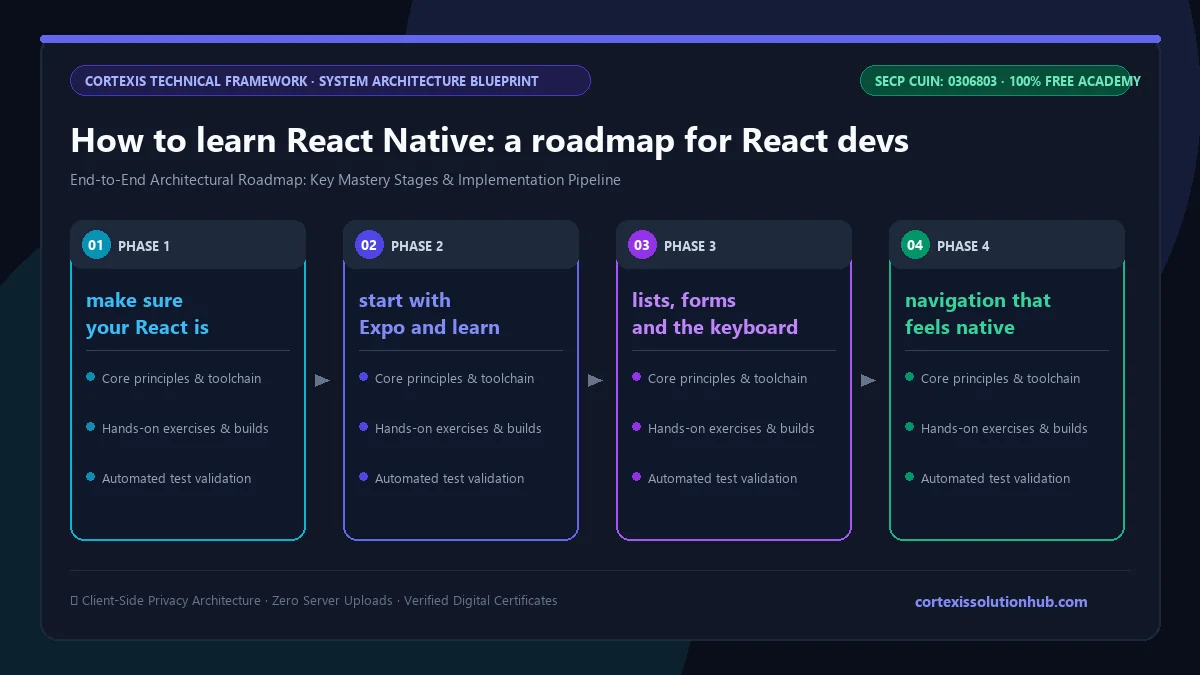
Figure 1: Complete step-by-step architectural workflow and technical execution stages for How to learn React Native: a roadmap for React devs.
How to learn React Native: the roadmap
Here is the order that works, with a clear sign that you are ready for the next stage.
Stage
What you learn
You are ready to move on when
0. React and JavaScript
Components, props, state, hooks, async and await, array methods
You can build a small React app without a tutorial open
1. First project
Expo setup, native components, StyleSheet and Flexbox
You can rebuild a simple screen from a screenshot
2. Lists and input
FlatList, forms, the keyboard, touch targets
A long list scrolls smoothly and a form works with the keyboard open
3. Navigation
Stack and tab navigation, passing params, deep links
Your app has several screens and the back button behaves on both platforms
4. Data
Fetching on slow networks, local storage, shared state
The app survives a dropped connection and remembers data after a restart
5. Release
Performance, permissions, signed builds, store submission
A release build runs on a friend's phone, not just your simulator
You have real users and a specific problem the basics do not solve
Step 0: make sure your React is solid
This step decides how hard everything after it feels. React Native does not teach React; it assumes it. If useEffect dependencies, lifting state or keys in lists still confuse you, spend a few weeks on React for the web first. Our Frontend Engineering course covers that ground, and adding TypeScript early saves a lot of runtime crashes later.
Step 1: start with Expo and learn the component swap
For most beginners, Expo is the right way to start. You get a running app on your own phone quickly, without first fighting Xcode and Android Studio. Then learn the basic swap: View instead of div, Text instead of p or span, Image, TextInput and Pressable. The first rule that catches everyone is that any bare text outside a Text component throws an error. Styling is JavaScript objects with Flexbox, and the default direction is a column, not a row.
Step 2: lists, forms and the keyboard
Build a screen that shows a few hundred items. Try it with ScrollView, then with FlatList, and notice why long lists need a different component. Then build a sign up form and watch the keyboard cover your input. Handling that, and setting the right keyboard type and auto capitalisation on an email field, is the kind of detail web React never prepared you for.
Step 3: navigation that feels native
Users expect a swipe back on iOS and a hardware back button on Android. Learn stack navigation, then tabs, then nesting a stack inside a tab. Add one deep link so a URL opens a specific screen.
Step 4: real data on a real network
Mobile networks are slow and unreliable. Fetch from a free public API, show loading and error states, set a timeout, and cache the last result on the device. Use AsyncStorage for small things and something more serious when data grows. Once two screens need the same data, you will feel why shared state needs a plan.
Step 5: ship a signed build
Release builds behave differently from development builds, and a mid range Android phone behaves very differently from a fast laptop simulator. Build, sign and install on someone else's phone as early as you can. Keep the project on GitHub as you go; if Git is new to you, our free Git and GitHub course covers it.
Common mistakes when learning React Native
Treating it like a website. No hover, no localStorage, no CSS cascade. Design for fingers, press states and small screens.
Using ScrollView for long lists. It renders everything at once. FlatList renders what is on screen.
Testing only on the iOS simulator, or only on Android. Platform bugs hide on the platform you never open.
Ignoring touch target size. Apple's guidelines ask for at least 44 by 44 points. Tiny icons that are easy to click with a mouse are hard to tap.
Leaving the release process until the end. Signing, icons, permissions and store listings take time. Try a release build in your first month.
What the free React Native course covers
The React Native Mobile Development course is written, not video, and is labelled intermediate because it assumes you already know React. It has 12 chapters with 4 topics each, 48 topics in total, adding up to roughly 10 hours of reading. The course page suggests 8 weeks.
Chapter
What it covers
1. From React to React Native
The same React with a different renderer, Expo or bare workflow, StyleSheet and Flexbox, the two threads and the bridge
2. Core Components and Lists
View, Text, Image and Pressable, ScrollView versus FlatList, forms and the keyboard, SectionList, grids and sticky headers
3. Navigation
Stack navigation, tabs, nesting and deep links, platform differences, modal screens and unsaved changes
4. Data, State, and Storage
Fetching on a mobile network, local storage and offline, state across screens, optimistic updates and an offline write queue
5. Performance and Release
Performance in practice, camera, permissions and native APIs, building and shipping, app size
6. Notifications, Lifecycle, and Sessions
Push notifications end to end, the app lifecycle and background behaviour, auth sessions, sign in with Apple and Google
7. Debugging, Testing, and Release Health
Debugging on a real device, testing React Native code, crash reporting, analytics for failures that never crash
8. Startup, Memory, and Real Devices
Cold start, lists and images at real volume, frozen frames and ANRs, native traces with Perfetto and Instruments
9. Motion, Gesture, and Native Feel
Reanimated worklets, interruptible gestures, layout and screen transitions, a native feeling bottom sheet
10. Local Databases, Sync, and Conflict
MMKV, SQLite and other stores, optimistic writes and a durable outbox, delta sync and conflicts, schema migrations
11. Native Modules and the New Architecture
Config plugins, writing a module in Swift and Kotlin, JSI, TurboModules and Fabric, migrating to bridgeless
12. Pipelines, Rollouts, and Versions in the Field
A release pipeline, feature flags and staged rollouts, serving old app versions, upgrading React Native
Chapters 1 to 5 take you from a blank project to a signed release, and that is the core. Chapters 6 to 12 cover what mobile developers usually learn on the job; return to each when you hit its problem.
Who it is for, and how long it takes
It suits web developers who know React and want to add mobile, students who want an installable portfolio app, freelancers who keep being asked for "an app too", and developers joining a React Native team.
If you have never written React, this is not your first course. Learn React on the web first, then come back. If you prefer to start mobile from zero with a different language, the Flutter course teaches Dart from the beginning.
On time: the reading is about 10 hours, but reading is not the work. With an hour a day of reading, typing the examples and building your own small app, the 8 week estimate is realistic.
How the quizzes and free certificate work
Each topic has a minimum reading time of 90 seconds before its quiz opens, and you need 70 percent on that quiz to unlock the next topic. Each chapter ends with a quiz too, and you need 70 percent on it before the next chapter opens. The final exam unlocks once every topic is done and every chapter quiz is passed.
The certificate comes from the final exam: 50 questions, 60 minutes, one timed attempt, and you pass with 50 out of 100 marks. If you do not pass, a retake opens 30 days later with the questions and options reshuffled. Pass, and you get a free certificate with a verification code and a QR code anyone can check. Be realistic, though: an app someone can install will impress an employer far more than any certificate. We wrote more on that in are free online certificates worth anything.
Ready to start? Open the free React Native course, create an Expo project today, and get your first screen running on your own phone before you close the tab.
Questions, answered
04 questions
Yes. React Native uses the same React library, so components, props, state and hooks are assumed. You can learn both at once, but it is slower and more confusing than learning React on the web first.
Start with Expo. It gets an app onto your phone quickly and handles most builds for you. You can still add native code later through config plugins, and the course covers when that is worth it.
If you already know React, a couple of months of steady daily practice is enough to build and release a simple app with navigation, real data and offline storage. Performance, testing and native modules take longer and usually come from real projects.
You can develop and test the Android version on Windows. Building and signing for iOS needs a Mac with Xcode, or a cloud build service such as Expo's EAS Build.