12Defending an Organisation Under Real Constraints
Final exam
Certificate
48 topics · ~11h
Accredited Curriculum & Certification
Official Syllabus Snapshot
Direct Answer: Learn how real attacks work and how to shut them down — threat modelling, the OWASP Top 10, authentication, encryption, network defence, and the incident response plan you hope never to use.
Tuition Fee
100% Free
Duration & Workload
~11 Hours
Curriculum Depth
12 Chapters · 48 Lessons
Credential Awarded
Verified Certificate
12Chapters
Course outline
What "secure" actually means, how to find threats before an attacker does, and how to layer defences that survive one failure.
The CIA Triad and What Secure Really Means12 min
Threat Modelling in an Afternoon14 min
Trust Boundaries, Risk, and Defence in Depth13 min
Knowing Your Adversary: Attack Trees and Cheapest Paths13 min
Phishing, credential attacks, malware and ransomware — the real mechanics, and the specific control that breaks each one.
Phishing and Social Engineering13 min
Credential Attacks: Stuffing, Spraying, and Brute Force14 min
Malware and Ransomware13 min
Denial of Service, from Amplification to ReDoS13 min
Injection, broken access control, XSS, CSRF and SSRF — the vulnerability classes behind most real web breaches, with the fix for each.
Injection: SQL, NoSQL, and Commands15 min
Broken Access Control14 min
XSS, CSRF, and SSRF15 min
Business Logic Flaws and Race Conditions14 min
Storing passwords so a breach is survivable, keeping sessions honest, and using encryption for the jobs it is actually good at.
Password Storage and Authentication Done Right14 min
Sessions, Tokens, and Multi-Factor Authentication13 min
Encryption in Transit and at Rest15 min
Delegated Identity: OAuth 2.0 and OpenID Connect14 min
Shrinking what is reachable, building security into the development process, and knowing exactly what to do in the first hour of an incident.
Network Fundamentals: Ports, Firewalls, and VPNs13 min
Secure Development and Dependency Hygiene14 min
Logging, Incident Response, and Everyday Hygiene15 min
DNS, Certificates, and Subdomain Takeover13 min
Where the perimeter went: the permissions, images and build pipelines that decide how far one stolen credential actually travels.
Cloud IAM and the Blast Radius of One Key14 min
Container Images You Can Actually Trust14 min
The Build Pipeline Is Production14 min
Cloud Storage and the Data You Left Public14 min
Turning defences into tests that fail the build, securing the integrations you do not control, and running the programme that keeps all of it true next quarter.
Security Tests That Fail the Build14 min
Webhooks, API Keys, and Third-Party Integrations14 min
Patch SLAs, Disclosure, and the Tabletop15 min
Privacy, Retention, and Compliance Without Theatre14 min
Building the telemetry, detections and hunts that surface an intruder who has already walked past every preventive control.
Telemetry Worth Paying For: Coverage, Cost, and Retention13 min
Detection as Code: Rules That Survive Contact With Production14 min
Triage, Precision, and the Alert Nobody Ignores13 min
Hunting Without an Alert: Baselines, Hypotheses, and Honeytokens14 min
Simulating a real intruder end to end so you find the working attack chain before someone else does, and prove your detections actually fire.
Reconnaissance: What an Attacker Knows Before They Touch You13 min
From Foothold to Full Compromise: Pivoting and Escalation Chains14 min
Purple Teaming: Emulating Techniques and Measuring Detection Coverage13 min
Rules of Engagement: Testing Production Without Causing the Incident13 min
Designing identity, secrets and service trust so that one stolen credential stops at a boundary instead of becoming a company wide event.
Zero Trust in Practice: Identity-Aware Access Instead of a Perimeter14 min
Secrets Management: Vaults, Short-Lived Credentials, and Rotation Without Downtime13 min
Service-to-Service Trust: mTLS, Workload Identity, and Signed Requests14 min
Guardrails as Code: Policy Engines, Drift Detection, and Break-Glass13 min
Running a real breach properly: preserving evidence, reconstructing the intrusion, rebuilding systems you can trust, and telling regulators and customers the truth on the clock.
Evidence First: Disk Images, Memory Capture, and Chain of Custody14 min
Reconstructing the Intrusion: Timelines, Pivots, and Root Cause14 min
Recovery You Can Trust: Rebuilding Hosts and Rotating Roots of Trust13 min
Notifying Regulators and Customers Without Making It Worse13 min
Deciding where limited money and attention actually go, tracking the adversaries that matter, catching abuse by people who are already trusted, and securing the AI systems arriving in your stack.
Risk in Money, Not Traffic Lights13 min
Threat Intelligence That Changes a Decision13 min
Insider Risk: When the Credential Is Legitimate13 min
Securing AI Features: Prompt Injection, Agents, and Tool Permissions14 min
Final exam & certificate
01
Topic checks
Each one opens the next topic
02
Chapter quizzes
Each one opens the next chapter
03
50-question final
50 of 100 marks to pass
04
Certificate
Issued instantly, verifiable
One attempt, 60 minutes. If you don't pass, you can retake once after 30 days.
The course guide
How to learn cybersecurity from scratch, in order
16 October 2026 · 9 min read
To learn cybersecurity from scratch, start with how systems work, then learn how they break, then learn how to defend them. In practice that means basic networking and how the web works first, then the common attacks (phishing, stolen passwords, injection, broken access control), then the defences that stop each one: good password storage, multi-factor login, encryption, logging and a plan for incidents. Practise each step on systems you own. Hacking tools come last, not first. Our free Cybersecurity Fundamentals course follows exactly this order across 12 chapters.
Why most beginners start in the wrong place
A hacking tool only makes sense once you understand what it is attacking. Running a scanner against a website teaches you very little if you do not know what a port is, what a cookie does, or why a login form talks to a database.
Most real security work is also defensive: deciding who can read which data, storing passwords properly, reading logs, patching servers and handling incidents. Learning from the defender's side first gives you both views.
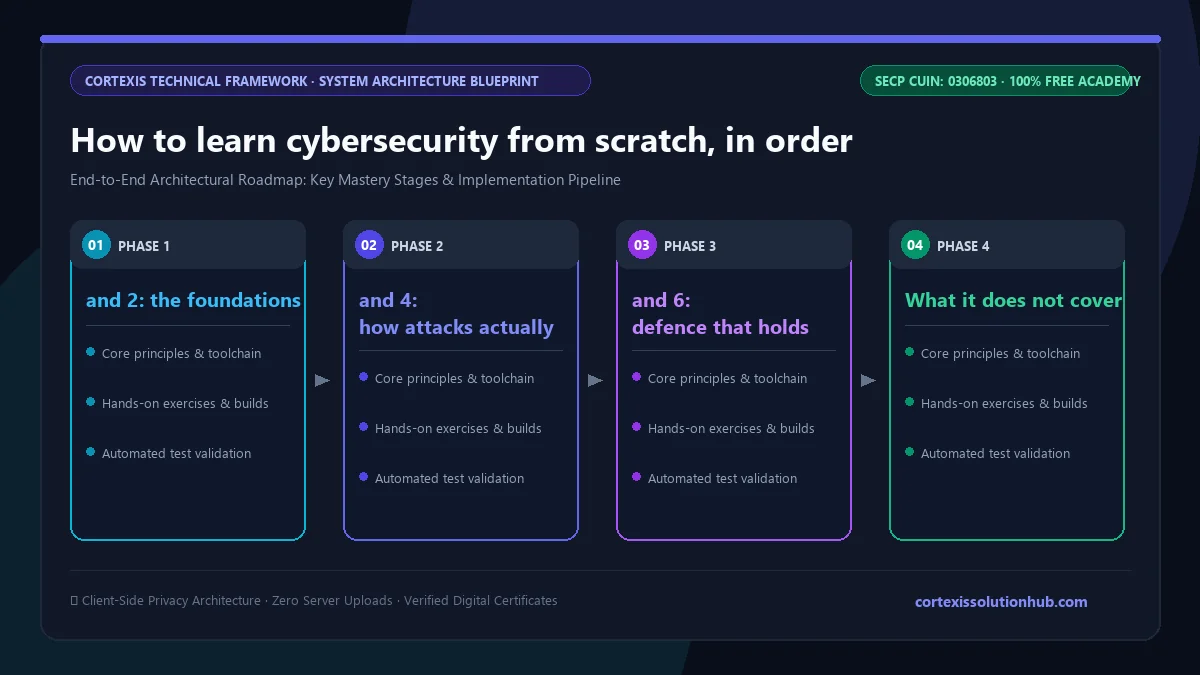
Figure 1: Complete step-by-step architectural workflow and technical execution stages for How to learn cybersecurity from scratch, in order.
How to learn cybersecurity from scratch: the order that works
Step
What to learn
Why it comes here
1
What "secure" means: confidentiality, integrity, availability
Gives you words to describe any risk
2
Basic networking: IP addresses, ports, DNS, HTTP and HTTPS
Every attack travels over a network
3
How common attacks work: phishing, credential attacks, malware
The everyday ways attackers get in
4
Web vulnerabilities: the OWASP Top 10
Most companies you will work for run web apps
5
Identity and cryptography: passwords, sessions, MFA, encryption
The defences that make a breach survivable
6
Operations: logging, patching, incident response
Where defence happens day to day
7
Cloud and containers
Where many new systems now run
8
Testing your own systems and detection
Proves the defences actually work
Step 1 and 2: the foundations
Learn the CIA triad until you can describe any problem in its terms. "A student changes their own grade" is an integrity failure. "The exam portal is down on exam day" is an availability failure.
Then learn enough networking to follow a request from your browser to a server and back. You should be able to explain what DNS does, what a port is, why HTTPS matters, and what a firewall actually blocks. A clear mental picture is enough.
Step 3 and 4: how attacks actually work
Study the attacks that cause real damage, not the exotic ones. Phishing and social engineering. Credential stuffing, where passwords leaked from one site are tried on another. Ransomware. Then the web flaws in the OWASP Top 10, the OWASP Foundation's list of the most critical web application risks, such as broken access control and injection. Learn cross-site scripting (XSS), cross-site request forgery (CSRF) and server-side request forgery (SSRF) by name too.
For each attack, learn the mechanism and the specific control that breaks it: "SQL injection is stopped by parameterised queries" is worth more than ten exploit videos.
Step 5 and 6: defence that holds up
Learn how passwords should be stored (slow, salted hashing, never plain text or fast hashes), how sessions and tokens work, why multi-factor authentication means a stolen password alone is no longer enough, and what encryption does and does not protect. Then learn the operational side: what to log, how to patch on a schedule, and what to do in the first hour of an incident.
Where to practise cybersecurity at home, legally
Attacking a system you do not own, or do not have written permission to test, is illegal in Pakistan under the Prevention of Electronic Crimes Act 2016, and in most other countries under similar laws. "I was only learning" is not a defence. Practise only on these:
Your own machine and accounts. Turn on MFA everywhere, set up a password manager, check your router's settings and close what you do not use.
A small web app you build yourself. Write a login page with a deliberate SQL injection flaw, exploit it, then fix it with a parameterised query. Our Node.js backend course shows how to build one.
Intentionally vulnerable practice apps published by security projects for exactly this purpose, run on your own computer.
Legal capture the flag (CTF) events and practice platforms that give you explicit permission to attack their targets.
What the free Cybersecurity Fundamentals course covers
The course is listed as Beginner to Intermediate and planned as 8 weeks. It has 12 chapters with 4 lessons each, 48 lessons in total, and roughly 11 hours of reading before you count quizzes and practice. Here is what each chapter teaches.
Thinking Like a Defender. The CIA triad, threat modelling a feature in an afternoon, trust boundaries and defence in depth, and attack trees that show an attacker's cheapest path.
How Attacks Actually Work. Phishing and social engineering (including reading sender addresses and setting up SPF and DMARC), credential stuffing, spraying and brute force, malware and ransomware with backup rules, and denial of service.
The OWASP Top 10 in Practice. SQL, NoSQL and command injection, broken access control, XSS, CSRF and SSRF, and business logic flaws and race conditions.
Identity and Cryptography. Password storage, sessions, tokens and MFA, encryption in transit and at rest, and OAuth 2.0 with OpenID Connect.
Networks, Operations, and Response. Ports, firewalls and VPNs, secure development and dependency hygiene, logging and incident response, and DNS, certificates and subdomain takeover.
Cloud, Containers, and the Supply Chain. Cloud IAM, trustworthy container images, the build pipeline as production, and public cloud storage.
Proving It Works and Keeping It That Way. Security tests that fail the build, webhooks and API keys, patch deadlines and tabletop exercises, and privacy and data retention.
Detection Engineering and Threat Hunting. Telemetry worth keeping, detection rules written as code, alert triage, and threat hunting with baselines and honeytokens.
Attacking Your Own Systems. Reconnaissance, pivoting and privilege escalation chains, purple teaming to measure detection coverage, and rules of engagement for testing production safely.
Architecture That Contains a Breach. Zero trust access, secrets management and rotation, service-to-service trust with mTLS, and guardrails as code.
Major Incidents and Digital Forensics. Evidence and chain of custody, reconstructing an intrusion timeline, rebuilding systems you can trust, and notifying regulators and customers.
Defending an Organisation Under Real Constraints. Risk measured in money, threat intelligence, insider risk, and securing AI features against prompt injection.
Every chapter ends with defences you can apply to a real codebase or a small team the same day.
What it does not cover
It is not an ethical hacking or penetration testing course, and it does not train you on offensive toolkits or prepare you for a specific vendor exam. It gives you the base those assume.
Who this is for and how long it takes
It suits developers who want to stop shipping the bugs that cause breaches, IT and support staff who manage accounts, networks or servers, and students who want an honest first look at security before spending money on certifications.
You do not need to be an expert programmer, but being able to read simple code helps a lot, because many lessons show a vulnerable snippet and its fix. If you have not picked a first language yet, read which programming language to learn first. Knowing basic cloud concepts helps in chapters 6 and 10; the Cloud & DevOps course covers them.
The course is planned as 8 weeks; an hour on most days, including practice, fits that.
How the quizzes and free certificate work
Each lesson has its own short quiz, and you need 70 percent to unlock the next lesson. Each lesson also has a minimum reading time of 90 seconds before its quiz opens, so you cannot click straight through.
The certificate comes from the final exam: 50 questions, 60 minutes, one timed attempt, and a pass mark of 50 out of 100. Leaving the page submits it, so pick a quiet hour. If you do not pass, one retake opens 30 days later with the questions and options reshuffled. Pass, and you get a free certificate with a verification code anyone can check.
It proves you finished a structured course and passed a timed exam; it is not an industry certification. We wrote about this honestly in are free online certificates worth anything. What will impress an employer more is a short write-up of something you secured yourself: a threat model, a fixed vulnerability, a detection rule that works.
Mistakes that slow beginners down
Collecting tools instead of understanding. Ten installed tools and no idea how HTTP works is the most common trap.
Skipping the boring defences. Password storage, patching and logging prevent far more incidents than clever exploits find.
Practising on systems you do not own. It can end a career before it starts.
Only reading. Build the vulnerable login page, break it, fix it.
Start with the defender's view
You need the right order, a small app of your own to practise on, and patience. Start the free Cybersecurity Fundamentals course today, work through one lesson a day, and build something you can show at the end of it.
Questions, answered
06 questions
Yes. Start with networking basics and how the web works, then move to attacks and defences. It takes longer without an IT background, but the order is the same, and the course starts from what "secure" means before anything technical.
Not for every role, but it helps a great deal. Reading simple code lets you understand injection, XSS and access control bugs properly. Python or JavaScript is enough to start.
Yes. The lessons, quizzes, final exam and certificate are all free. You need an account to track your progress and sit the exam.
No. It teaches defence first, plus enough about how attacks chain together to test your own systems with permission. It is the foundation an ethical hacking course assumes, not a replacement for one.
The fundamentals take a couple of months of steady study; the course is planned as 8 weeks. Becoming job ready takes longer, because you also need hands-on projects and usually some experience in IT or development.
Only on systems you own or have written permission to test, such as your own apps, deliberately vulnerable practice apps on your computer, and CTF platforms. Testing anything else is a crime under Pakistan's PECA 2016 and similar laws elsewhere.