12 min read
Direct Answer: We are building a free offline AI assistant for computer and phone. Ask about your PDFs, Word files and photos and get answers with no internet.
- We are building a free offline AI assistant for computer and phone. Ask about your PDFs, Word files and photos and get answers with no internet.
- Authored by Abdullah with actionable, zero-fluff implementation guidance.
- Verified for immediate practical application, production workflows, and professional skill enhancement.
We are building a free offline AI assistant: an app for your computer and your phone that reads the files you already have and answers questions about them in plain language. Ask "where is my salary slip from March?" and it finds the PDF, reads it, and tells you, naming the file it used. Nothing is uploaded, it keeps working with the Wi-Fi switched off, and it will be free to download and free to use, with no subscription.
It is still in development. This page explains what it will do, how it works under the hood, and, just as plainly, what it will not do.
What you can ask it
Most of us know a file exists but not where it is. It came as a WhatsApp attachment, got saved to Downloads, moved to a USB drive, and now sits in a folder called "New folder (3)". The search box on your computer only helps if you remember the file's name or the exact words inside it.
An offline AI assistant works the other way round. You ask the way you would ask a colleague who had read everything on your computer:
- "Where is my salary slip from March?"
- "Which PDF mentions the project deadline?"
- "What does this scanned image say?"
- "Find the rent agreement that talks about a 10 percent increase."
It searches every folder you have allowed, reads the relevant parts, and writes a short answer in plain language, along with the files it took the answer from. You can open the original and check it yourself. That second part matters: an answer you cannot trace back to a file is an answer you should not trust.
Why offline, and not another chat app
There are already plenty of "chat with your PDF" websites. They work by uploading your document to their servers, where a large model reads it. For a recipe or a public report, that is fine. For a salary slip, a scanned ID card, a bank statement, a medical report or a client contract, it means handing your most private paperwork to a company you know little about. It is the same question we asked about uploading PDFs to online compressors, and the answer is the same: the safest upload is the one you never make.
Here is how the two approaches compare:
| Cloud AI chat | Our offline AI assistant | |
|---|---|---|
| Where your files go | Uploaded to the provider's servers | Stay on your own device |
| Internet | Needed for every question | Only to download the app once |
| Finding the file | You find it and upload it yourself | It searches the folders you chose |
| Cost | Often a monthly plan for regular use | Free |
| Hard, multi-step reasoning | Stronger: very large models | Weaker: small models |
| Speed | Fast, on data-centre hardware | Depends on your computer |
The last two rows are there on purpose. A small model running on a laptop is not as clever as the biggest cloud models, and pretending otherwise would be dishonest. What it is good at is exactly this job: finding the right passage in your own files and explaining it clearly.
Offline also means it keeps working when the internet does not: on a flight, in a village with one bar of signal, or on the afternoon the fibre goes down.
The files it can read
You choose the locations once: any folder, any drive (C:, D:, an external hard disk), or a whole computer. It never looks at a folder you have not approved, and you do not need to remember where anything is stored inside the ones you have.
| File type | How it is read |
|---|---|
| .txt, .md, .csv | Read directly |
| .docx (Word) | Text taken straight from the document |
| .pdf with selectable text | Text read from the PDF itself |
| Scanned .pdf | Each page turned into text with OCR |
| .jpg, .jpeg, .png and screenshots | OCR for any text, plus a short description of what the picture shows |
OCR, optical character recognition, is what turns a photo of a page into words a computer can search. If you only need that step for one file today, our free image to text and PDF OCR tools already do it in your browser.
How it finds the answer (local RAG in plain English)
The technique behind the assistant is called retrieval-augmented generation, or RAG. Stripped of jargon, this is what happens on your machine:
- You pick the folders or drives once. The app lists every supported file inside them.
- It reads each file and keeps watching. New, changed and deleted files are noticed. Each file gets a fingerprint (a hash), so a file that has not changed is never processed twice.
- Text is extracted. Straight from documents, and through OCR from scans and images.
- Passages become embeddings. An embedding is a list of numbers that captures what a passage means, so "salary slip" and "pay statement" land close together even though they share no words.
- Everything goes into a local index, a file on your own disk that works like a library's card catalogue for your computer.
- You ask a question. The question is turned into an embedding too.
- The closest passages are retrieved from the index, from whichever files they came from.
- A small language model on your device writes the answer using only those passages, and names the files it used.
Because the model is only shown passages from your files, its answers stay grounded in what you actually have. It is also told to say so when nothing relevant turns up, which cuts down on confident, made-up answers.
This is also why it can do what ordinary search cannot. The search box in File Explorer matches the words you type. On most computers it cannot find a scanned receipt, because a scan contains no words until OCR reads them, and it cannot answer a question at all.
The AI models that run on your device
Everything runs on your own hardware. Nothing is sent to an AI company's servers, and there are no API keys and no per-question charges.
- A small language model writes the answers. We are working with compact, quantised models (such as Microsoft Phi-3 Mini, Meta's Llama family, and Mistral, distributed via Hugging Face and runnable locally via frameworks like Ollama) at 4-bit precision. Quantised means the model's numbers are stored with fewer bits: a 7-billion-parameter model shrinks from about 14 GB to roughly 4 GB, at a small cost in accuracy. Phi-3 Mini at 4-bit is closer to 2.3 GB.
- Tesseract handles OCR. Maintained as the open-source Tesseract OCR engine, it reads more than 100 languages, Urdu among them. Which languages ship in the first version is still being decided.
- A lightweight image-captioning model describes what a photo shows, so "the photo of the whiteboard from the Monday meeting" can be found even when nobody typed a word about it.
As a rough guide from those model sizes, a computer with 8 GB of memory can run the smaller models, and 16 GB is comfortable for the 7-billion-parameter ones. A graphics card is not required, although it makes answers noticeably faster. Expect the first scan of a large drive to take a while, because OCR on thousands of images is slow work. After that, only new and changed files are processed.
On your phone too
The assistant is coming to phones as well, and it will be free there too. The idea is the same: a small model on the phone itself, an index stored on the phone, and answers that never leave it. Ask about a screenshot, a photo of a notice board, or a PDF someone sent you on WhatsApp.
Phones are stricter than computers about what apps may see, so on a phone the assistant can only read the folders and photos you give it access to. Building the index for a big photo library is heavy work for a phone, so the first scan is best done while it is charging.
Free to download, free to use
We will not charge for it. There is no subscription, no trial that runs out and no fee per question. There is also nothing for us to bill you for: no server of ours sits between you and your answers, because your own device does all of the work.
So why build it? Because it is the clearest way to show what our AI automation team does. The same design, a private assistant that answers only from your own documents, is what we build for organisations that cannot send their files to a cloud AI.
What it will not do
A tool that promises everything usually delivers less. So, plainly:
- It will not search the internet. Answers come only from your files. That is the point.
- It will not match the largest cloud models at long reasoning. Small models are good at finding, quoting and summarising what is in your files. For drafting a thesis or solving a hard maths problem, a large cloud model is still the better tool.
- It struggles with handwriting. Clean print and screenshots read well. A doctor's prescription will not.
- It needs disk space and patience at the start. The model takes a few gigabytes, and the first index of a large drive takes time.
- It is not a backup. It reads your files. It does not copy them anywhere, and it will not save you if a disk fails.
How it will be built
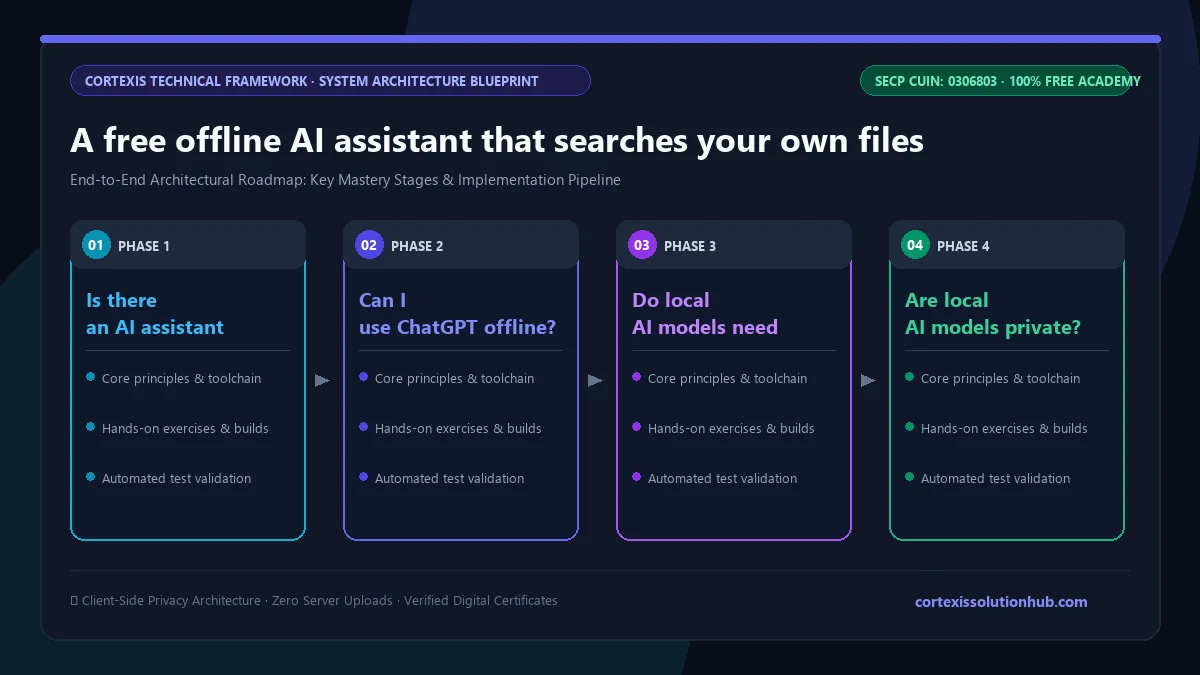
The assistant is being built in three phases, each one usable on its own:
| Phase | What it adds |
|---|---|
| 1. Core search | Text and PDF files, indexing when you ask for it, answers in text |
| 2. Image intelligence | OCR for scans and screenshots, questions about images |
| 3. Speed and polish | Faster indexing, a better interface, smart summaries |
The same idea for your business
Law chambers, clinics, accountants, schools and government offices all sit on years of documents they are not allowed to upload anywhere. A private document assistant running on the office's own computers or server gives staff the same ask-and-answer experience without a single file leaving the building.
That is the work we do under AI automation: assistants and agents trained on your own documents, deployed where your data already lives. If that sounds like your problem, tell us about it. If you would rather build it yourself, our free AI automation and agents course covers the building blocks, and our AI and machine learning solutions page covers the heavier end of the work.
Questions, answered
08 questions
Yes. Small language models can now run entirely on a laptop or a phone, with no internet connection. We are building one, free for computer and phone, that searches your own files and answers questions about them without anything leaving your device.
No. ChatGPT runs on OpenAI's servers and needs the internet for every message. An offline AI assistant runs a smaller open model on your own device instead. It is less powerful, but it is private, it is free, and it works with no connection.
Only once, to download the app and the model. After that they run with no connection at all, because every calculation happens on your own computer or phone.
The model runs on your own hardware and does not need to send anything anywhere. How private the whole app is depends on how it is built. Ours is designed so that your files and your questions never leave your device.
Chatting with a PDF on a website means uploading the whole file to that company's servers. For ordinary documents that is usually fine. For salary slips, ID scans, bank statements or contracts, it is worth thinking twice, which is why an offline assistant reads the file where it already is.
Yes. Scans and images go through OCR, which turns the picture of the text into real text that can be searched and answered from. Clean print and screenshots work well. Handwriting is much harder and often will not read correctly.
Nothing. The offline AI assistant will be free to download and free to use on both computer and phone, with no subscription and no charge per question.
It is in development, and the download will be published on this page when the first version is ready. If you want to hear when that happens, send us a message through the contact page.